Rhombohedron fractal
In part 1, I shared how to create a rhombohedron fractal in two ways. We continue with the rhombohedron fractal we created in method 2. By three vectors (e1, e2, e3) coming from (0,0,0) we can determine all our vertices.
Step 1: draw one rhomobohedron
Copy rhombohedron2.py, we list our constants (= variables that are fixed and will not change) outside the function to draw a rhombohedron.
My constants are:
- number of levels -> we define at the beginning how many levels of iteration we want.
- my three vectors (e1, e2, e3) -> they are defined by formulas, we will not change them.
- acute angle theta -> the shapes have the same angle also at another scale (rule of similarity).
Since we calculate the angle with the cosine & sine, we import the math library as previously done with the rhombohedron.
    import math

    max_level = 2 # >=3, computer will run slow
    theta = math.pi/3 # acute angle in radians
    origin_vertices = [
        [1, 0, 0], # e1
        [math.cos(theta), math.sin(theta), 0], # e2
        [math.cos(theta), (math.cos(theta) - (math.cos(theta) ** 2))/math.sin(theta), (math.sqrt(1 - 3 * math.cos(theta) ** 2 + 2 * math.cos(theta)**3))/math.sin(theta)] # e3
    ]
Step 2: recursive function
Copy generate_menger_sponge() from menger sponge.py.
Change:
- generate_menger_sponge -> generate_rhombohedron
- cube_size -> rhombohedron_size
- current_level -> max_level
- cubes -> rhombohedrons
Make some changes in the `draw_rhombohedron()` function.
- Call generate_rhombohedron to have all our rhombohedrons & loop over them using a for loop, like we did in
menger sponge.py. - Adjust the new vertices so that we can implement the new x, y & z coordinates.
- Faces array remains the same.
What are the new vertices?
Let’s take again a look at our menger sponge. We changed the vertices depending on where there was a 0 or 1. (We had a vertex (0,0,0) and we had a cube size of 1; so values where between 0 and 1). We have changed our vertex (0,0,0) with index 0 to (x,y,z). When we call our function for the first time, we choose (x,y,z) as (0,0,0). And when there is a 1 (We define at the beginning that our shape size is 1.), we change it to x + size or y + size or z + size, depending on the position.
In short - flexible vertices
- (0, 0, 0) becomes (new_x, new_y, new_z).
- (1, 0, 0) becomes (new_x + size, new_y, new_z)
But now it feels more complicated, but actually it isn’t. Follow the same rules like we did in the menger sponge.
    # Before
    vertices = [
        [0,0,0],
        origin_vertices[1],
        [origin_vertices[0][0] + origin_vertices[1][0], origin_vertices[0][1] + origin_vertices[1][1], origin_vertices[0][2] + origin_vertices[1][2]],
        origin_vertices[0],
        origin_vertices[2],
        [origin_vertices[1][0] + origin_vertices[2][0], origin_vertices[1][1] + origin_vertices[2][1], origin_vertices[1][2] + origin_vertices[2][2]],
        [origin_vertices[0][0] + origin_vertices[1][0] + origin_vertices[2][0], origin_vertices[0][1] + origin_vertices[1][1] + origin_vertices[2][1], origin_vertices[0][2] + origin_vertices[1][2] + origin_vertices[2][2]],
        [origin_vertices[0][0] + origin_vertices[2][0], origin_vertices[0][1] + origin_vertices[2][1], origin_vertices[0][2] + origin_vertices[2][2]]
    ]
    # Actually there is a ‘1’ here, but we don't write it. let's write it as an intermediate step.
    vertices = [
        [0, 0, 0],
        [1 * origin_vertices[1][0], 1 * origin_vertices[1][1], 1 * origin_vertices[1][2]],
        [1 * (origin_vertices[0][0] + origin_vertices[1][0]), 1 * (origin_vertices[0][1] + origin_vertices[1][1]), 1 * (origin_vertices[0][2] + origin_vertices[1][2])],
        [1 * origin_vertices[0][0], 1 * origin_vertices[0][1], 1 * origin_vertices[0][2]],
        [1 * origin_vertices[2][0], 1 * origin_vertices[2][1], 1 * origin_vertices[2][2]],
        [1 * (origin_vertices[1][0] + origin_vertices[2][0]), 1 * (origin_vertices[1][1] + origin_vertices[2][1]), 1 * (origin_vertices[1][2] + origin_vertices[2][2])],
        [1 * (origin_vertices[0][0] + origin_vertices[1][0] + origin_vertices[2][0]), 1 * (origin_vertices[0][1] + origin_vertices[1][1] + origin_vertices[2][1]), 1 * (origin_vertices[0][2] + origin_vertices[1][2] + origin_vertices[2][2])],
        [1 * (origin_vertices[0][0] + origin_vertices[2][0]), 1 * (origin_vertices[0][1] + origin_vertices[2][1]), 1 * (origin_vertices[0][2] + origin_vertices[2][2])]
    ]

    # Now it is very easy to change the "0" and "1".
    vertices = [
        [new_x, new_y, new_z],
        [new_x + new_size * origin_vertices[1][0], new_y + new_size * origin_vertices[1][1], new_z + new_size * origin_vertices[1][2]],
        [new_x + new_size * (origin_vertices[0][0] + origin_vertices[1][0]), new_y + new_size * (origin_vertices[0][1] + origin_vertices[1][1]), new_z + new_size * (origin_vertices[0][2] + origin_vertices[1][2])],
        [new_x + new_size * origin_vertices[0][0], new_y + new_size * origin_vertices[0][1], new_z + new_size * origin_vertices[0][2]],
        [new_x + new_size * origin_vertices[2][0], new_y + new_size * origin_vertices[2][1], new_z + new_size * origin_vertices[2][2]],
        [new_x + new_size * (origin_vertices[1][0] + origin_vertices[2][0]), new_y + new_size * (origin_vertices[1][1] + origin_vertices[2][1]), new_z + new_size * (origin_vertices[1][2] + origin_vertices[2][2])],
        [new_x + new_size * (origin_vertices[0][0] + origin_vertices[1][0] + origin_vertices[2][0]), new_y + new_size * (origin_vertices[0][1] + origin_vertices[1][1] + origin_vertices[2][1]), new_z + new_size * (origin_vertices[0][2] + origin_vertices[1][2] + origin_vertices[2][2])],
        [new_x + new_size * (origin_vertices[0][0] + origin_vertices[2][0]), new_y + new_size * (origin_vertices[0][1] + origin_vertices[2][1]), new_z + new_size * (origin_vertices[0][2] + origin_vertices[2][2])]
    ]
Issues
Let’s run the script. We now see one shape even when the max_level is higher than one.
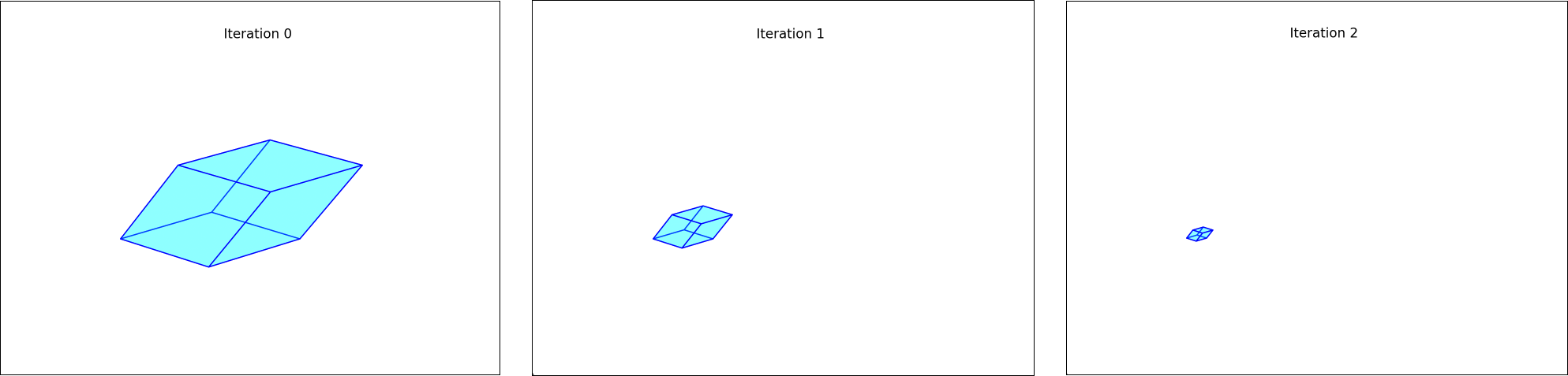
Little note: the title ‘Iteration …’ is created by applying the following code where we use a constant:
plt.title('Iteration '+str(max_level))Found on https://stackoverflow.com/questions/43757820/how-to-add-a-variable-to-python-plt-title
Solved by placing plt.show() outside the for loop.
Another problem I had was that my smaller rhombohedrons did not fit the shape of the larger rhombohedron…
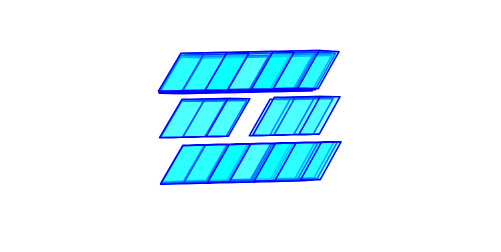
I solved this by changing the parameters in rhombohedrons.extend(generate_rhombohedron(...)). This is because we also need to shrink our origin_vertices by 1/3 and this in each dimension.
    # Before
    rhombohedrons.extend(generate_rhombohedron(x + dimension_x * new_size, y + dimension_y * new_size, z + dimension_z * new_size, new_size, max_level - 1))
I was first thinking like this. First, we give (x,y,z) the coordinates (0,0,0). If we want the next rhombohedron to have that point, we just have to add e3, right?
    new_x = x + dimension_x * new_size * origin_vertices[2][0]
    new_y = y + dimension_y * new_size * origin_vertices[2][1]
    new_z = z + dimension_z * new_size * origin_vertices[2][2]
For the new x coordinate, we have to adjust all the x coordinates of the origin_vertices. So origin_vertices[0][0], origin_vertices[1][0], origin_vertices[2][0]. The same applies to the others.
    new_x = x + dimension_x * new_size * origin_vertices[0][0] + dimension_x * new_size * origin_vertices[1][0] + dimension_x * new_size * origin_vertices[2][0]
    new_y = y + dimension_y * new_size * origin_vertices[0][1] + dimension_y * new_size * origin_vertices[1][1] + dimension_y * new_size * origin_vertices[2][1]
    new_z = z + dimension_z * new_size * origin_vertices[0][2] + dimension_z * new_size * origin_vertices[1][2] + dimension_z * new_size * origin_vertices[2][2]

    rhombohedrons.extend(generate_rhombohedron(new_x, new_y, new_z, new_size, max_level - 1))
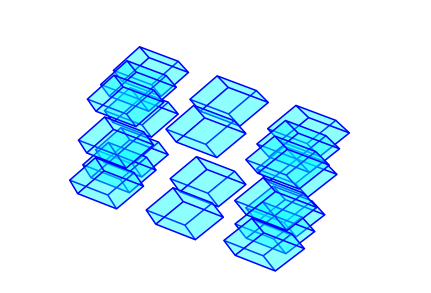
Wait… we know that the the dimension_ takes care of positioning the elements and shifting is by means of the origin_vertices that also determine the shape of a rhombohedron. dimension_x moves along the base vector origin_vertices[0]. Yes, because if dimension_x is zero, then the first column of this 3d grid will be drawn if you look at this relative to the x-axis, or so the origin_vertices[0]. So for origin_vertices[1] then dimension_y is responsible for it and for origin_vertices[2], dimension_z. Let’s adjust this.
    new_x = x + dimension_x * new_size * origin_vertices[0][0] + dimension_y * new_size * origin_vertices[1][0] + dimension_z * new_size * origin_vertices[2][0]
    new_y = y + dimension_x * new_size * origin_vertices[0][1] + dimension_y * new_size * origin_vertices[1][1] + dimension_z * new_size * origin_vertices[2][1]
    new_z = z + dimension_x * new_size * origin_vertices[0][2] + dimension_y * new_size * origin_vertices[1][2] + dimension_z * new_size * origin_vertices[2][2]
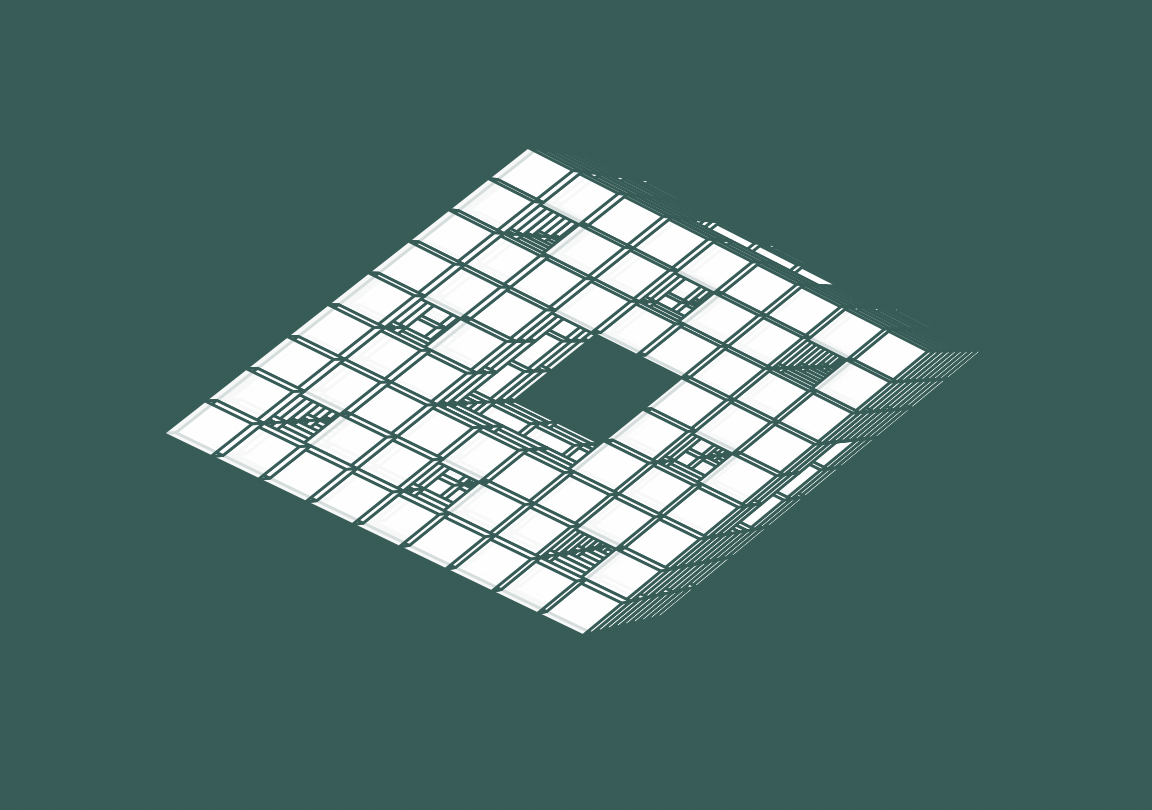
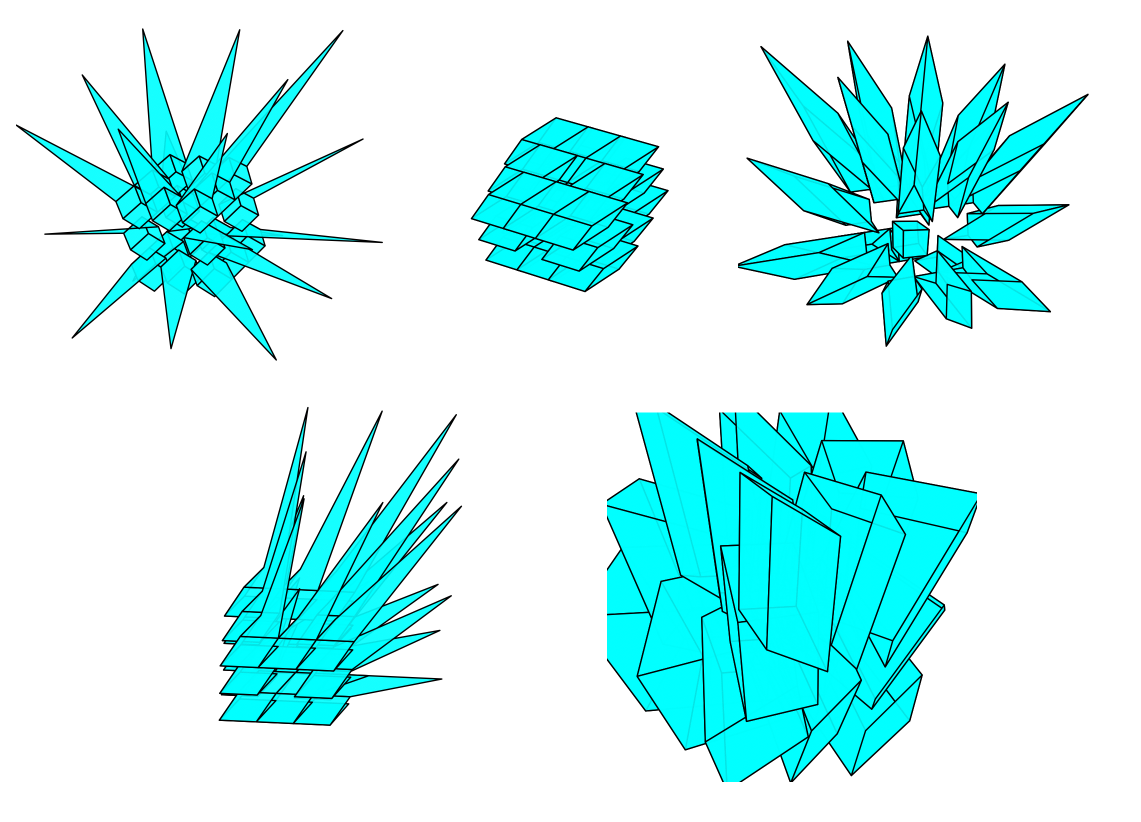
And there we have our rhombohedron fractal!
Be careful not to set the max_level too high, I personally noticed that the computer runs very slowly from max_level = 3. It has to start drawing a lot of rhombohedrons by then. So let’s set this low so our computer doesn’t crash.
Next steps
- Adding rotation -> so it rotates automatically
- See how we can improve our performance